

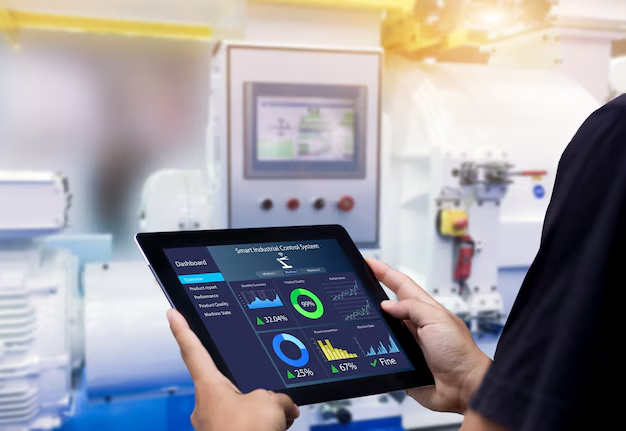
The connection between humans and machines is more critical than ever in modern industrial settings. At the heart of this connection lies the Human-Machine Interface (HMI), a vital component that allows operators to communicate with complex machinery and automated systems. The effectiveness of this interaction hinges on sophisticated HMI software and programming. This software is the engine that drives the visual displays, manages data, and translates human commands into machine actions.
This guide explores the essential aspects of HMI software, from its core functions to the programming that brings it to life. Understanding these elements is key for anyone involved in industrial automation, whether you’re an engineer designing a system, an operator using it daily, or a manager aiming to boost operational efficiency. We will cover what makes HMI software powerful, the key features to look for, and how effective programming unlocks its full potential to create intuitive, efficient, and safe industrial environments.
What is HMI Software?
HMI software is a specialized program used to create the graphical interface that allows users to interact with industrial control systems. Think of it as the design studio for your control panel. This software provides the tools to build the screens, buttons, charts, and alarms that operators see and use on an HMI terminal or panel.
Its primary role is to translate complex process data from Programmable Logic Controllers (PLCs) and other connected devices into a user-friendly, visual format. Instead of deciphering raw code or monitoring confusing arrays of lights, operators can view real-time data, control machinery, and respond to system events through an intuitive graphical display. Effective HMI software and programming empower operators to manage intricate processes with clarity and confidence.
Key Features of Modern HMI Software
As industrial processes become more complex, HMI software has evolved to offer a rich set of features. These tools are designed to enhance control, improve data visualization, and streamline operations. When evaluating HMI software, several key features stand out for their ability to deliver a powerful and flexible user experience.
Intuitive Design and Graphics
The core of any HMI is its visual interface. Modern software offers extensive graphic libraries with pre-built objects like buttons, meters, sliders, and tanks. This allows developers to quickly create realistic and easy-to-understand screens. High-quality vector graphics ensure that visuals are crisp and scalable across different screen sizes and resolutions. The goal is to create an interface that is not just functional but also intuitive, reducing the cognitive load on operators and minimizing the potential for error.
Data Logging and Historical Trending
To optimize any process, you need to understand its history. HMI software includes powerful data logging capabilities, capturing critical operational data points over time. This information can be stored locally on the HMI or on a networked server. With this data, operators and engineers can generate historical trend charts to analyze performance, identify inefficiencies, and troubleshoot issues. For example, you could track temperature fluctuations in a furnace over a 24-hour period to ensure it operates within its specified limits.
Alarms and Event Management
Promptly notifying operators of abnormal conditions is a crucial function of an HMI. Advanced software allows for sophisticated alarm management. You can define multiple alarm priorities (e.g., low, high, critical), customize notifications, and require operator acknowledgment. Alarms can be logged with timestamps to create a detailed event history, which is invaluable for post-incident analysis and process improvement. This ensures that potential problems are addressed before they escalate into costly downtime or safety hazards.
Multi-Language Support
In a globalized world, equipment may be used by operators who speak different languages. HMI software with multi-language support allows you to easily switch the display text between several pre-configured languages. This feature is essential for multinational companies or for machinery that will be exported, ensuring that all users can operate the equipment safely and effectively regardless of their native language.
Simulation and Offline Testing
Developing and testing HMI applications directly on live machinery can be risky and inefficient. Modern HMI software often includes a simulation mode, allowing developers to test the application on a PC without connecting to a PLC or the actual HMI hardware. This offline testing capability helps identify and fix bugs early in the development process, saving valuable time and preventing potential disruptions to production.
The Role of HMI Programming
While the software provides the tools, HMI software and programming is the process of using those tools to build a functional and effective application. It involves designing the screen layouts, linking graphical objects to PLC tags, configuring alarms, and setting up data logging. Effective programming goes beyond simply placing objects on a screen; it’s about creating a logical and user-centric workflow.
A well-programmed HMI should:
- Be User-Friendly: Navigation should be straightforward, with a clear hierarchy. Critical information must be easily accessible, and controls should be logically grouped.
- Provide Context: Instead of just displaying a number, the HMI should provide context. For example, show a tank’s level not just as a percentage, but with a visual graphic and clear high/low markers.
- Ensure Security: HMI software includes security features to control access. Programming involves setting up user accounts with different permission levels. For instance, an operator might only be able to monitor and perform basic functions, while a supervisor has access to change settings and parameters.
Integration with PLCs and Other Devices
An HMI is useless in isolation. Its primary purpose is to communicate with other industrial devices, most commonly PLCs. HMI software comes with a library of communication drivers that enable it to “talk” to a wide variety of PLCs from different manufacturers.
The programming process involves establishing this communication link and mapping the variables, or “tags,” from the PLC to the objects in the HMI application. For example, a tag representing the motor’s status in the PLC would be linked to an indicator light on the HMI screen. When the motor turns on, the PLC tag changes state, and the HMI software updates the indicator to show that the motor is running. This seamless integration is fundamental to creating a responsive and reliable control system.
The Future of HMI Software
The field of HMI software and programming is continually advancing, driven by trends in technology and the evolving needs of the industry. The rise of the Industrial Internet of Things (IIoT) is a major driver of change. Modern HMI software is increasingly designed to support remote access, allowing managers and engineers to monitor and even control processes from a smartphone, tablet, or web browser.
Cloud connectivity is another significant development. HMIs can now push operational data directly to the cloud for advanced analytics, machine learning, and long-term storage. This enables predictive maintenance, where data analysis can predict potential equipment failures before they happen, and opens up new possibilities for enterprise-wide data integration. As these technologies mature, HMI software will become an even more central hub for data and control in the smart factories of the future.
Elevate Your Industrial Operations
Effective HMI software and programming are foundational to modern industrial automation. By transforming raw machine data into clear, interactive visual displays, HMI software empowers operators to manage complex systems with greater efficiency, safety, and precision. From intuitive graphical design and robust alarm management to seamless PLC integration and future-ready IIoT capabilities, the right software provides the framework for building superior control solutions.
Investing in quality HMI software and adopting best practices in programming is not just about creating a functional interface; it’s about unlocking the full potential of your automated systems. A well-designed HMI reduces training time, minimizes operator error, and provides the actionable insights needed to drive continuous improvement. By focusing on these critical components, your organization can create a more connected, intelligent, and productive industrial environment.


