

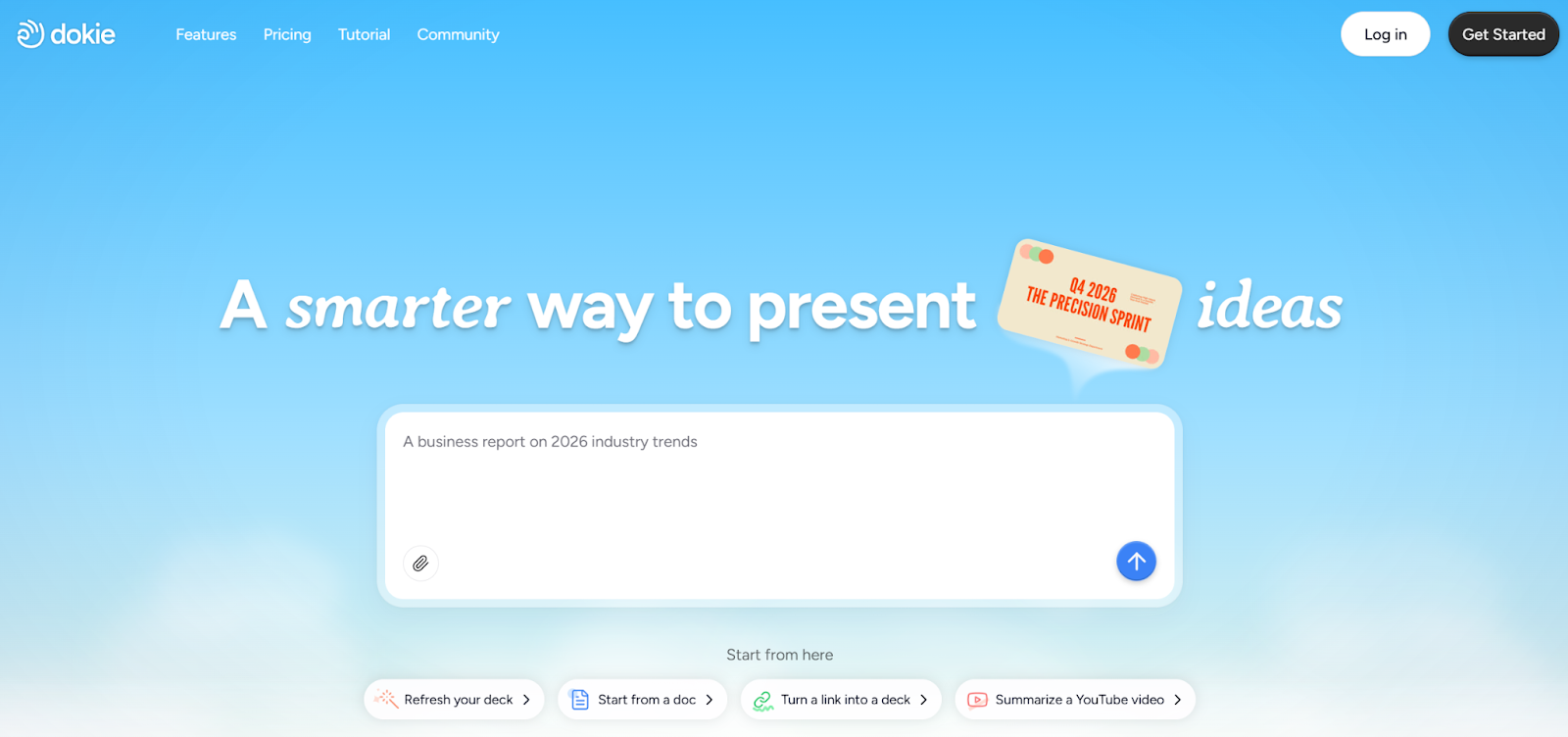
What Is Dokie AI?
Dokie AI is an AI PPT maker built for business users. It helps you turn ideas, notes, or short prompts into full slide decks in minutes. Instead of starting with a blank page, you enter your topic, and the tool builds a clear structure with titles, bullet points, and slide flow.
Unlike some tools that focus only on design, Dokie AI focuses on logic and structure. This makes it a strong AI presentation maker for work tasks like:
- Weekly reports
- Sales pitches
- Marketing plans
- Project updates
- Client proposals
It works like an AI slides generator that understands how real business decks are built. The result feels closer to a real PowerPoint file you would use in a meeting.
Why Business Users Need an AI PPT Maker
In many companies, slides are part of daily work. Teams create decks for:
- Internal meetings
- Board updates
- Client calls
- Training sessions
- Product demos
Building slides from scratch can take hours. You need to:
- Plan the outline
- Write the content
- Design each slide
- Adjust layout
- Fix flow and order
An AI PPT maker helps with the first draft. This saves time and energy. Instead of spending two hours building structure, you can focus on ideas and data.
For business users, speed and clarity matter more than fancy design. That is where Dokie AI stands out among the best AI PPT makers.
How Dokie AI Works
Using Dokie AI is simple.
Step 1: Enter Your Topic
You type a short prompt, such as:
- “Marketing plan for new product launch”
- “Q4 sales report summary”
- “Social media growth strategy”
You can also paste text or notes.
Step 2: AI Builds the Structure
The AI presentation maker creates:
- A title slide
- Clear sections
- Logical slide order
- Key bullet points
It thinks in a business format. This is important. Many AI slides generator tools create pretty pages but weak structure. Dokie AI focuses on flow.
Step 3: Edit and Adjust
After the draft is ready, you can:
- Rewrite slides
- Add or remove pages
- Change layout
- Update tone
The AI can also help you refine content. This makes it more than just a slide builder. It acts like a writing assistant inside your deck.
Key Features of Dokie AI
1. Smart Business Structure
Dokie AI understands common business slide formats. For example:
- Problem → Solution → Benefits
- Goal → Strategy → Action → Result
- Market → Product → Plan → Budget
This makes it one of the best AI PPT makers for real work use.
2. Fast First Draft
You can get a full deck in minutes. This is helpful when:
- You have a meeting soon
- You need a quick proposal
- You want to test ideas
Instead of staring at a blank screen, you start with something solid.
3. Editable Content
Many AI presentation maker tools lock you into a design. Dokie AI lets you edit easily. You can:
- Change tone to more formal
- Make text shorter
- Add data
- Adjust slide order
This keeps you in control.
4. PPT-Friendly Output
For business users, compatibility matters. Dokie AI focuses on slide formats that work well for real presentations. The result feels like a standard PowerPoint deck, not a web page.
Dokie AI vs Other AI Slides Generators
There are many AI PPT maker tools today. Some focus on design. Some focus on web-based slides. But not all are built for business flow.
Here is how Dokie AI stands out:
Business Logic First
Some tools create stylish slides but weak structure. You still need to reorganize content before meetings. Dokie AI builds a practical outline from the start.
Traditional Slide Format
Many teams still use PPT for meetings. Dokie AI keeps that classic slide feel. This makes it easier for teams that work with clients or managers who expect standard decks.
Less Rework
With some AI presentation maker tools, you spend time fixing slide order. With Dokie AI, the flow is often ready for use with small edits.
That is why many users see it as one of the best AI PPT makers for office work.
Real Use Cases for Dokie AI
1. Marketing Teams
Marketing teams create many decks:
- Campaign reports
- Growth plans
- Influencer strategies
- Content roadmaps
An AI slides generator like Dokie AI helps build the first draft quickly. Teams can then focus on charts and results.
2. Sales Teams
Sales reps need:
- Pitch decks
- Product overviews
- Custom client proposals
Instead of copying old slides, they can use this AI PPT maker to create tailored decks for each client.
3. Startups
Startup founders often build decks for:
- Investors
- Partners
- New hires
Time is limited. Dokie AI speeds up deck creation so founders can focus on business.
4. Corporate Managers
Managers prepare:
- Weekly updates
- Monthly reviews
- Team plans
With Dokie AI, they can turn notes into structured slides fast.
Pros and Cons of Dokie AI
Pros
- Easy to use
- Strong business structure
- Fast slide creation
- Saves time
- Flexible editing
- Works well for traditional PPT
Cons
- Still needs human review
- May need design polish for high-end branding
- Not a full data analysis tool
Like any AI presentation maker, it is a helper, not a replacement for thinking.
Is Dokie AI Good for Long-Term Use?
Yes, especially for teams that create slides often.
If you only build one deck per year, you may not need an AI PPT maker. But if you make slides every week, time savings add up.
Many users start by testing. Over time, they rely on it for:
- Draft building
- Outline planning
- Quick revisions
That is how it becomes part of workflow.
Tips to Get the Best Results
To get strong output from Dokie AI:
1. Be Clear in Your Prompt
Instead of typing:
“Marketing”
Try:
“Marketing plan for new skincare brand targeting college students”
Clear input gives better output.
2. Review and Edit
Do not copy and paste without checking. Always:
- Adjust tone
- Add real numbers
- Remove weak points
AI slides generator tools give a base. You finish it.
3. Add Your Brand Style
After content is ready:
- Apply brand colors
- Insert logos
- Add charts
This makes your deck look professional.
Why Dokie AI Is One of the Best AI PPT Makers
There are many tools in the market. But Dokie AI focuses on what business users need most:
- Clear structure
- Logical flow
- Fast output
- Easy edits
It does not try to be flashy. It tries to be useful.
For office teams, that matters more.
If your goal is speed and clarity, this AI presentation maker delivers strong value.
Who Should Use Dokie AI?
Dokie AI is best for:
- Marketing managers
- Sales reps
- Startup founders
- Consultants
- Team leads
- Corporate staff
If you create slides often and want to save time, this AI PPT maker can help.
If you care more about art-style slides than business logic, you may want a design-focused tool. But for real meetings and reports, Dokie AI fits well.
Final Thoughts
Dokie AI is a smart AI presentation maker built for business use. It saves time, builds strong structure, and helps teams move faster.
FAQs
1. What makes Dokie AI different from other AI PPT makers?
Dokie AI focuses on business structure and logic. Many tools focus on design. This tool builds practical slide flow that works well for meetings and reports.
2. Is Dokie AI good for beginners?
Yes. The interface is simple. You enter a topic, and the AI slides generator creates a draft. You can then edit easily. No design skills are needed to start.
3. Can Dokie AI replace PowerPoint?
It does not replace PowerPoint. It helps you create content faster. You still review, edit, and present like normal. It works as a smart assistant.
4. Is Dokie AI one of the best AI PPT makers for business?
For business use, many users see it as one of the best AI PPT makers because of its clear structure, speed, and focus on real work needs.
Conclusion
If you build slides often, Dokie AI can save you hours each week. It is a practical AI PPT maker designed for business users who need clear, ready-to-use presentations fast.


