

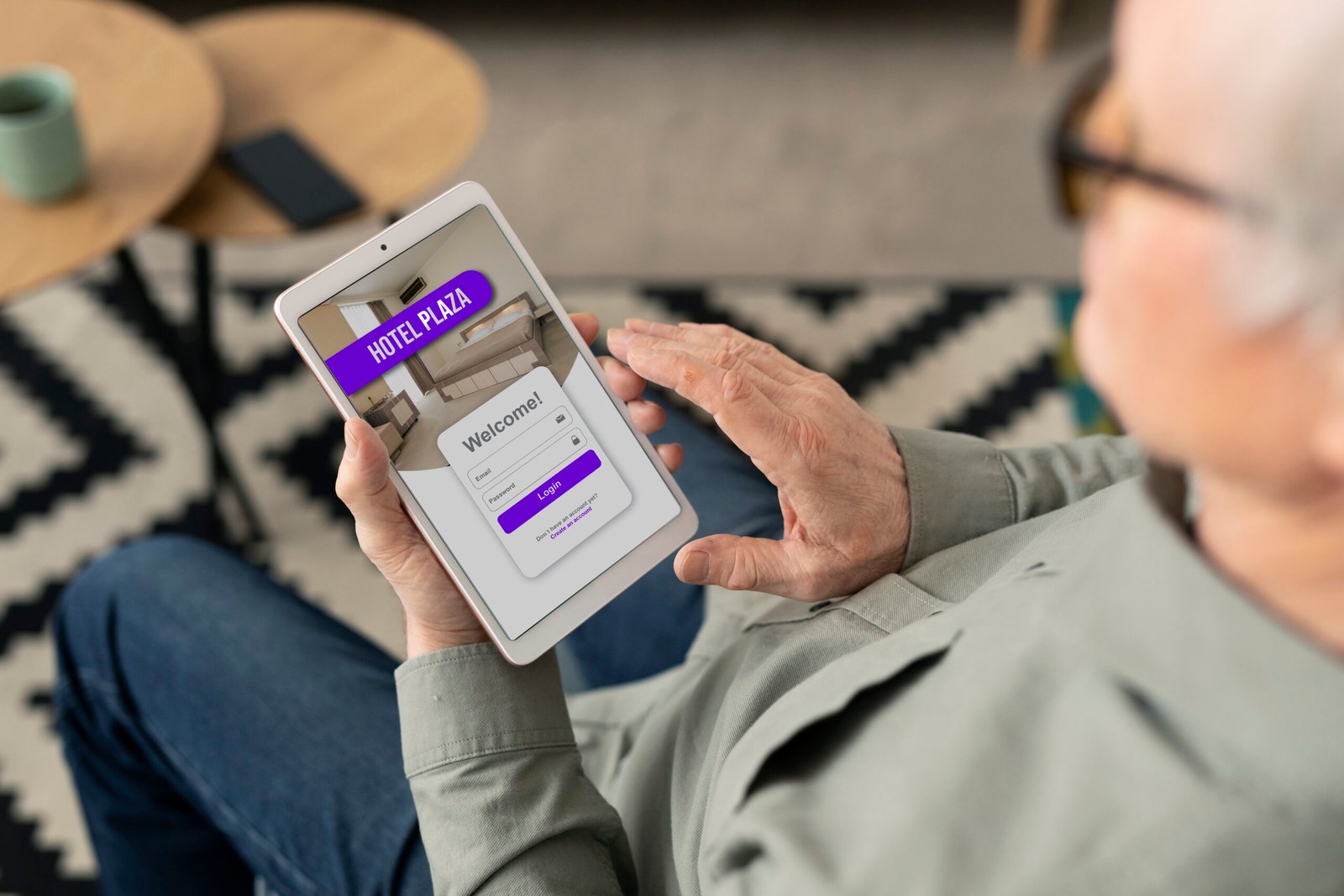
A smartphone has become much more than a device for making calls or sending messages. Today, people use mobile applications to manage their homes, monitor their health, control smart devices, and stay connected with the services they rely on every day. Among these useful technologies, companion mobile apps have gained considerable attention.
A companion mobile app is designed to work alongside another product, service, or platform. It adds extra functionality, makes everyday tasks easier, and gives users more control over their primary devices. Whether someone wants to manage a smartwatch, control a gaming console, or access information from a computer, these applications can make the experience more convenient.
Understanding how companion apps work and what they offer can help individuals and businesses make better technology decisions.
What Is a Companion Mobile App?
A companion mobile app is a smartphone or tablet application that works together with another device, software platform, or digital service. Instead of operating as a completely independent product, it extends the capabilities of its primary counterpart.
For example, a smartwatch companion app allows users to check their fitness information, adjust settings, receive notifications, and review health-related activity directly from their phones.
Similarly, a smart television may have a companion application that turns a smartphone into a remote control. Users can browse content, adjust volume, and manage playback without searching for a physical remote.
The main purpose of a companion mobile app is to create a connected experience. It allows users to perform additional tasks through a familiar mobile interface while making the primary product easier to use.
How Do Companion Mobile Apps Work?
Companion mobile apps communicate with their associated devices or platforms through different connectivity technologies. The exact method depends on the product, application requirements, and available infrastructure.
Understanding the basic working process helps explain why these applications are useful across different industries.
Device Pairing and Connectivity
Most companion applications begin with a pairing process. Users connect their smartphones to the primary device through Bluetooth, Wi-Fi, QR codes, or account-based authentication.
For instance, when setting up a fitness tracker, users typically download its official mobile application and follow the instructions to connect the wearable device.
Once the connection is established, both devices can exchange information and perform their intended functions.
Data Synchronization
Data synchronization allows information to move between connected devices and applications. Depending on the product, this may happen continuously, periodically, or whenever the user opens the app.
A fitness companion app, for example, can receive daily step counts, workout information, and sleep summaries from a smartwatch.
Some applications also use cloud services to keep information available across multiple devices. This means users can access their synchronized data even when their primary device is not immediately available.
Remote Controls and Notifications
Many companion apps provide remote access to important device functions. Users can change settings, start activities, manage content, or receive alerts without directly interacting with the primary product.
For example, a home security companion app may send a notification when its connected camera detects movement. Users can then open the application to review the available footage.
This combination of remote access and notifications makes connected technology more practical.
Key Features of a Companion Mobile App
The features of a companion mobile app depend on its intended purpose. A smartwatch application will have different capabilities from a gaming or smart home application.
However, several features commonly appear across different types of companion applications.
Seamless Device Integration
Device integration is one of the most important features. A companion app should connect smoothly with its associated hardware or software.
A well-designed application makes pairing straightforward and maintains a reliable connection. Users should not have to repeat complicated setup procedures every time they want to access their devices.
Real-Time Notifications
Notifications help users stay informed about important activities and changes.
For example, a smartwatch app can display incoming calls, messages, and reminders. A security application may notify homeowners about unusual movement or unexpected device activity.
These alerts reduce the need to constantly check the primary device.
Personalized Settings
Personalization allows users to adjust application features according to their preferences.
A companion app might let users customize notification settings, choose display preferences, configure connected devices, or set individual fitness goals.
These options make the overall experience more comfortable and relevant.
Activity Tracking and Reporting
Many companion applications collect and present useful information through dashboards and reports.
Fitness applications can display daily steps, exercise duration, and activity trends. Business-related companion apps may provide project updates, performance information, or task summaries.
Presenting this information in an organized format helps users understand their progress.
Secure Data Management
Security is another essential feature, particularly when an application handles personal information.
Reliable companion apps should use appropriate authentication methods, encrypted communication, and secure data storage practices.
Features such as biometric login and multi-factor authentication can provide additional protection against unauthorized access.
Major Benefits of Companion Mobile Apps
Companion applications provide several advantages for individuals, organizations, and technology companies. Their value comes from making existing products more useful rather than requiring users to learn an entirely new system.
Improved User Convenience
Convenience is one of the biggest reasons people use companion mobile applications.
Instead of interacting with multiple physical controls, users can manage different functions from their smartphones. This is particularly useful for smart home devices, wearable technology, and entertainment systems.
For example, someone can adjust their home lighting, check a connected camera, and control a smart thermostat without moving between different physical control panels.
Better Productivity and Time Management
Companion apps can help people complete everyday tasks more efficiently.
Business applications may allow employees to receive updates, review documents, approve requests, and communicate with colleagues while away from their desks.
Similarly, productivity-focused companion apps can synchronize reminders and schedules between computers and mobile devices.
This flexibility is especially helpful for professionals who frequently travel or work remotely.
Enhanced User Experience
A companion application can improve the overall experience of using a product.
Some devices have limited screens or physical controls. A smartphone provides a larger display and more flexible interface for managing their advanced features.
For example, adjusting detailed fitness settings on a smartwatch may be difficult because of its small screen. A companion app makes those adjustments easier.
Better Access to Information
Companion apps can bring important information together in one accessible location.
Users can review device status, receive notifications, monitor performance, and check historical information without navigating complicated menus.
This makes it easier to understand how connected products are performing and whether any adjustments are necessary.
Greater Product Value
For businesses and manufacturers, companion applications can make their products more attractive to customers.
A physical device supported by a useful mobile application may offer more functionality than a similar product without connected features.
This additional value can improve customer satisfaction, strengthen brand relationships, and encourage long-term product usage.
Different Types of Companion Mobile Apps
Companion applications are used in many industries. Their functionality changes according to the products they support and the problems they are designed to solve.
Smartwatch and Fitness Companion Apps
Fitness and wearable applications are among the most recognizable examples.
They connect smartphones with smartwatches, fitness bands, and other wearable devices. Users can review physical activity, monitor workouts, manage notifications, and configure wearable settings.
Popular examples include the Apple Watch companion experience through the Watch app and Samsung’s Galaxy Wearable application.
These apps help users get more value from their wearable devices.
Smart Home Companion Apps
Smart home companion applications allow users to manage connected household equipment through their smartphones.
Depending on the supported devices, users may control lighting, thermostats, cameras, door locks, and entertainment systems.
Applications such as Google Home and Apple Home demonstrate how mobile software can bring different smart home functions into one convenient interface.
Gaming Companion Apps
Gaming companion applications provide additional features for players who use gaming consoles or computer-based platforms.
They may support messaging, friend management, game-related notifications, purchases, and remote interactions.
For example, the PlayStation App allows users to interact with their PlayStation Network accounts, communicate with friends, and manage certain gaming activities from their phones.
These applications make gaming communities and account features more accessible.
Healthcare Companion Apps
Healthcare companion applications can connect patients with wearable health devices, medical services, and wellness platforms.
Some applications help users track appointments, review available health information, manage medication reminders, or monitor activity levels.
For instance, a connected blood glucose monitoring system may offer a companion app that displays readings and historical trends.
However, users should understand that consumer companion apps are not automatically substitutes for professional medical advice or clinical assessment.
Business and Productivity Companion Apps
Businesses also use companion applications to support employees, customers, and internal operations.
These apps may provide access to schedules, project updates, communication tools, customer information, and business reports.
For example, an employee might use a mobile companion app to check meeting schedules and approve a task while traveling.
This approach allows businesses to extend their digital systems beyond traditional desktop environments.
How to Choose the Right Companion Mobile App
Choosing an appropriate companion application requires more than looking at its appearance or popularity. Users should consider how well it supports their devices, protects their information, and meets their everyday requirements.
Check Device Compatibility
Before downloading an application, check whether it supports your smartphone and primary device.
Some companion apps work only with specific operating systems, product generations, or hardware models.
Checking compatibility in advance can prevent unnecessary installation problems.
Review Available Features
Compare the features offered by different applications and identify which ones are genuinely useful.
For example, someone purchasing a smartwatch may prioritize fitness tracking, notification management, and battery reporting.
A smart home user might be more interested in remote controls, automation, and device-sharing options.
Consider Privacy and Security
Review the application’s privacy policy and permissions before connecting it to personal devices.
Pay attention to the information it collects, how that information is stored, and whether users can control data-sharing preferences.
Downloading applications from official app stores and using trusted manufacturers can also reduce security risks.
Read User Reviews
Customer reviews can reveal practical issues that may not appear in an application’s promotional description.
Look for feedback about connection stability, software updates, battery consumption, customer support, and ease of use.
Recent reviews are particularly helpful because application performance can change after major updates.
Challenges and Limitations of Companion Mobile Apps
Although companion applications provide several advantages, they also have limitations. Understanding these challenges helps users develop realistic expectations.
Connectivity Problems
Some companion apps depend heavily on Bluetooth, Wi-Fi, or internet connectivity.
A weak connection may interrupt synchronization, delay notifications, or prevent users from accessing remote features.
Manufacturers should provide reliable connectivity options and clear troubleshooting instructions.
Battery Consumption
Applications that frequently communicate with connected devices or operate in the background may consume additional smartphone battery power.
The impact depends on the application’s design, device settings, and frequency of use.
Users can manage battery consumption by reviewing background activity and disabling unnecessary notifications.
Privacy Concerns
Connected applications may collect sensitive information, including location details, activity records, device usage, or personal preferences.
If this information is not handled responsibly, it can create privacy risks.
Users should review permissions regularly and avoid granting access to information that is not necessary for the application’s core functionality.
Compatibility and Software Updates
An application may stop supporting older devices or require a software update to maintain compatibility.
Similarly, updates to the primary device can occasionally introduce synchronization problems.
Choosing products with a reliable update history and long-term manufacturer support can help minimize these issues.
The Future of Companion Mobile Apps
The future of companion mobile apps is closely connected to developments in artificial intelligence, the Internet of Things (IoT), cloud computing, and wearable technology.
As connected devices become more advanced, their companion applications are likely to offer more intelligent and personalized experiences.
Artificial intelligence could help applications understand user habits, identify unusual patterns, and provide useful recommendations. For example, a fitness companion app might suggest adjustments to an exercise routine based on recorded activity.
The expansion of IoT technology will also create opportunities for better communication between household devices, vehicles, and industrial equipment.
Another important development is improved cross-platform integration. Users increasingly expect their information and settings to remain accessible across smartphones, tablets, computers, and connected products.
Security will remain a major priority as these applications handle growing amounts of personal and business information.
Overall, companion mobile apps are expected to become an increasingly important part of connected digital experiences.
Frequently Asked Questions
What is the main purpose of a companion mobile app?
The main purpose of a companion mobile app is to extend the functionality of another device, software platform, or service. It allows users to manage settings, access information, receive notifications, and control supported features through their smartphones.
Are companion mobile apps free to download?
Many companion applications are available for free through official app stores. However, some offer premium subscriptions, paid features, or additional services. The pricing structure depends on the manufacturer and the application’s functionality.
Do companion mobile apps work without an internet connection?
Some companion apps can perform basic functions without an internet connection, particularly when communicating through Bluetooth. However, cloud synchronization, remote access, account authentication, and certain notifications may require an active internet connection.
What is the difference between a regular mobile app and a companion mobile app?
A regular mobile app can operate independently to provide services such as shopping, communication, or entertainment. A companion mobile app is generally designed to support another product or platform by providing additional controls, information, or connected functionality.
Are companion mobile apps safe to use?
Companion mobile apps can be safe when developed and maintained responsibly. Users should download official applications, install security updates, review permissions, and use strong authentication methods. It is also important to understand how an application collects and manages personal information.
Conclusion
Companion mobile apps have changed how people interact with connected devices and digital services. From smartwatches and home automation systems to healthcare and business platforms, these applications provide convenience, better accessibility, and additional functionality.
Although connectivity, compatibility, and privacy remain important considerations, the advantages make companion apps valuable for modern technology users.
As artificial intelligence and connected devices continue to develop, companion mobile applications will likely play an even bigger role in everyday digital experiences.
Stay in touch to get more updates & alerts on Technofeed! Thank you


